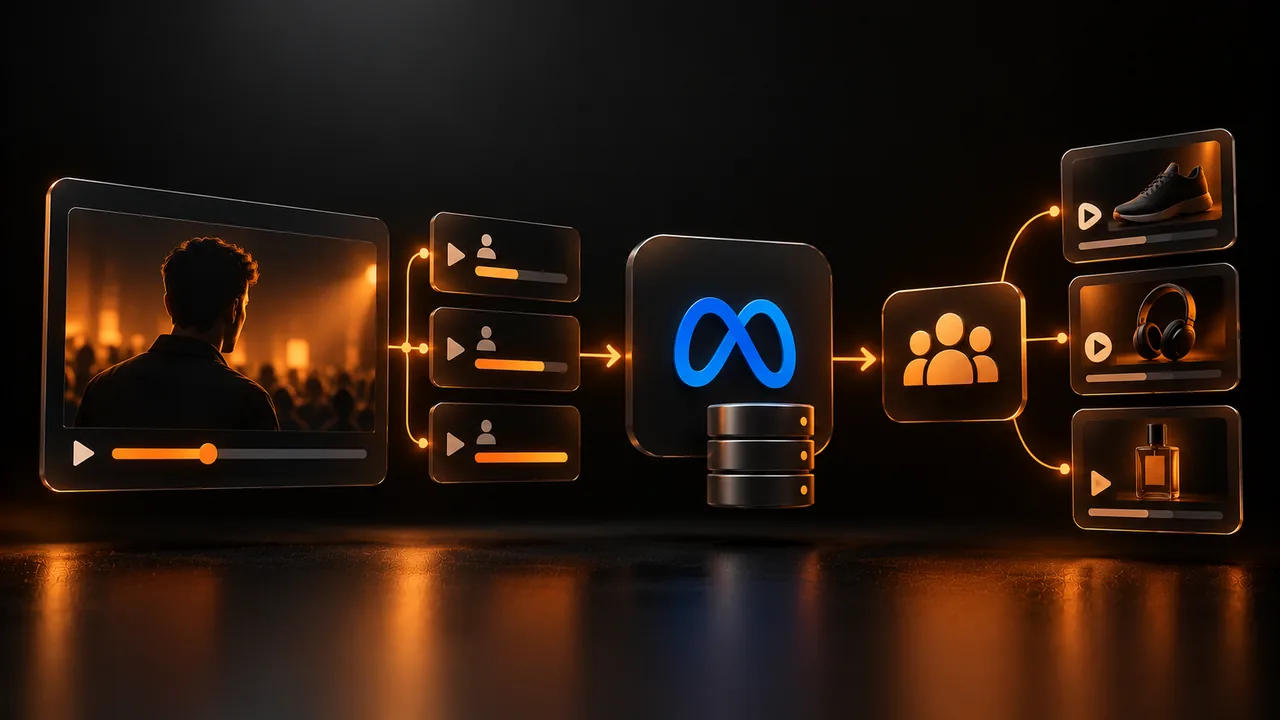
Meta makes it easy to build an audience of people who watched your video on Facebook or Instagram. It does not do the same for the video on your own sales page. The person who watched 70% of your VSL, scrolled down to the price and left is one of your warmest prospects, yet by default Meta has no idea they exist. Sending Meta Conversions API video views fixes that.
This guide shows media buyers and funnel owners how to send video watch events from a website to Meta, why browser-only tracking misses so many of them, how server side tracking video events works and how to retarget website video viewers by how much of the video they actually watched.
Why on-page video views are invisible to Meta by default
Meta's built-in "video viewers" audiences only count plays that happen inside Meta's apps. When a visitor watches the VSL on your landing page, the play happens in your video player, on your domain. Meta only learns about it if you send an event.
For practical guidance on Meta Andromeda video ads, read the dedicated guide.
Most teams try to track video engagement (Facebook pixel events) by firing a custom browser event when the viewer reaches a milestone. That works partly. The trouble is that browser events are fragile:
Ad blockers and privacy browsers block the pixel script entirely.
iOS tracking restrictions and cookie limits reduce match quality.
Viewers who close the tab quickly may leave before the event is sent.
Long VSLs mean the milestone fires long after the page load, when the browser state may have changed.
The result is undercounting. Your 50% viewer audience looks smaller than it is, and Meta's optimisation sees fewer of the signals that predict a sale. Server side tracking video events through the Conversions API (CAPI) closes much of that gap.
How Meta Conversions API video views work
The Conversions API lets your server, or a platform acting on your behalf, send events directly to Meta instead of relying only on the browser. For Meta Conversions API video views, each event usually includes:
Review the Meta Conversions API integration to send video conversion events from your server.
event_name: a custom name such as VideoWatched25, VideoWatched50, VideoWatched75 or PitchReached.
event_time: when the milestone happened.
action_source: set to "website".
event_id: a unique ID used to deduplicate against the matching pixel event.
user_data: hashed identifiers and browser signals that help Meta match the event to a person, such as the fbp and fbc cookies, IP address, user agent and, when you have it legitimately, a hashed email.
custom_data: details such as the video name, variant, watch percentage and, for purchases, value and currency.
Because the event leaves from a server, it is not blocked by an ad blocker in the viewer's browser. When you send the same event from the pixel and the server with the same event_name and event_id, Meta deduplicates them so you do not double count.
Step by step: sending Meta Conversions API video views
The exact clicks depend on your stack, but the logic is the same for every setup.
Step 1: Decide which video milestones matter
Do not send an event every second. Choose the moments that separate curious visitors from serious prospects. A practical set for a VSL is:
VideoStarted – a real play, not just a page load.
VideoWatched25 – the viewer survived the hook.
VideoWatched50 – the viewer is invested in the story.
PitchReached – the viewer saw the offer and price.
VideoWatched75 – late-stage engagement.
PitchReached is often more valuable than a raw percentage because pitch timing varies across videos.
Step 2: Capture the milestones in the player
Your video player has to detect each milestone and expose it as an event. AtomicPlayer emits player events and webhooks for plays, CTA clicks, leads and conversions, each carrying the play ID, video and variant, so you know exactly which version of the VSL a viewer watched.
Step 3: Send the events server side
You have three common options for server side tracking video events:
Native integration. AtomicPlayer's Meta Conversions API integration sends server-side events to Meta with the play ID, revenue amount and video variant attached.
Automation tools. Send player webhooks to Zapier or Make and forward them to the Conversions API.
Server-side tag manager. Route events through a server-side Google Tag Manager container with a Meta CAPI tag.
Step 4: Deduplicate with the pixel
If you also fire browser events to track video engagement with the Facebook pixel, use the same event_name and a shared event_id on both sides. Meta will keep one copy. Check the Events Manager deduplication view to confirm it is working.
Step 5: Verify in Events Manager
Use Test Events in Meta Events Manager while you watch your own VSL. You should see each milestone arrive, marked as received from the server. Check the event match quality score and add more matching parameters if it is low.
How to retarget website video viewers by watch depth
Once Meta Conversions API video views are flowing, you can retarget website video viewers based on how far they got.
In Meta Ads Manager, create a Custom Audience from your Website source.
Choose people who triggered a specific event, such as VideoWatched50 or PitchReached.
Set the retention window. Website audiences allow up to 180 days; for VSL offers, 7–30 days usually performs better.
Exclude buyers by excluding people who fired your Purchase event.
Build separate ad sets for each depth so you can tailor the message.
Matching the retargeting message to watch depth
Watched 25–50%: they liked the hook but did not reach the offer. Retarget with a short clip that bridges to the second half or a testimonial.
Reached the pitch, no click: they saw the price and hesitated. Retarget with objection handling, guarantee details or a bonus that is real and time-bound.
Clicked the CTA, no purchase: they reached checkout. Retarget with checkout reassurance, payment options and support.
This is far more precise than retargeting every page visitor, and it is only possible when you retarget website video viewers using real watch events.
Using video watch events for optimisation, not just audiences
Meta Conversions API video views can also feed ad optimisation. If purchase volume is too low for Meta's algorithm to learn quickly, a deeper funnel event such as PitchReached can be used as a custom conversion for testing new creatives. Treat this as a stepping stone: once purchase volume allows, optimise for purchases.
Pair this with revenue data. AtomicPlayer's Meta integration attaches revenue and variant to server-side events, which supports video revenue attribution from the ad click to the second of the video that drove the sale.
For practical guidance on video revenue attribution, read the dedicated guide.
Pixel only vs server side tracking video events: what changes
Many advertisers ask whether it is enough to track video engagement (Facebook pixel only) or whether the server side is really necessary. Here is how the two approaches compare for Meta Conversions API video views.
Browser pixel only:
Quick to set up with a few lines of JavaScript or a tag manager trigger.
Loses events to ad blockers, privacy browsers and early tab closes.
Match quality depends on cookies that may be limited or expired.
Gives you a smaller, less reliable audience when you retarget website video viewers.
Pixel plus Conversions API (recommended):
Events are sent from the browser and the server, then deduplicated.
Server events survive blockers and early exits.
You can attach richer data such as video variant, watch depth and revenue.
Audiences are larger and Meta's optimisation sees more of the signals that predict purchases.
Conversions API only:
Possible, especially when the video platform sends events natively.
Works best when you can pass strong matching signals (fbp, fbc, IP, user agent, hashed email).
Keep a browser pixel for page-level events if you can, so Meta still sees PageView and similar events.
For most VSL funnels the answer is simple: track video engagement (Facebook pixel) in the browser for coverage and use server side tracking video events through the Conversions API for reliability. Together they give you the most complete picture of who watched, how far they got and who bought.
Real-world audience ideas for VSL funnels
Once Meta Conversions API video views are flowing, you can combine events to build sharper audiences than "all visitors":
Pitch reached, no CTA click, last 14 days: your best retargeting pool for objection-handling ads.
50% watched, not pitch reached, last 7 days: remind them what is coming in the second half.
CTA clicked, no purchase, last 3 days: checkout reassurance and payment options.
Purchased: exclude from acquisition ads and use for upsell or lookalike seeds.
Watched 75%+ and purchased: a high-quality seed audience for lookalikes.
Each of these is possible only when you retarget website video viewers using real watch events rather than page visits.
Privacy and consent
Server side tracking video events does not remove your privacy obligations. Collect consent where your audience's laws require it, disclose the tracking in your privacy policy, only hash and send personal data you have a legitimate basis to use and honour opt-outs. Server-side delivery improves reliability; it is not a way around consent.
Troubleshooting checklist
Events not arriving: check the access token, pixel ID and that action_source is "website".
Double counting: confirm the event_id matches exactly between pixel and server.
Low match quality: send fbp, fbc, IP and user agent with every event.
Audience too small: widen the retention window or use an earlier milestone.
Wrong video attributed: make sure the video name and variant are included in custom_data.
Frequently asked questions
Can I use Meta's built-in video viewer audiences for videos on my landing page?
No. Meta's built-in video engagement audiences only count views on Facebook and Instagram. For videos hosted on your own site, you need to send custom events through the pixel or the Conversions API and build a website Custom Audience from those events.
Should I send video events through the pixel, the Conversions API or both?
Both, with deduplication. The browser pixel captures signals the server may not have, and the server captures events the browser loses to blockers and early exits. Sharing an event_id lets Meta keep one copy of each event.
Which watch milestone works best for retargeting a VSL?
Pitch reached is usually the most useful single event because it marks viewers who saw the offer. For long videos, a mid-point event such as 50% watched gives you a larger, still-qualified audience for top-up retargeting.
Will sending more video events slow down my sales page?
Server-side events are sent after the milestone happens and do not need extra scripts on the page, so they do not add loading weight. Keep browser-side events lightweight and limited to the milestones you actually use.
How long does it take for a new website video audience to populate?
Audiences start filling once events arrive, but Meta needs enough matched people before the audience can deliver ads. On lower-traffic funnels, start with a broader milestone or a longer retention window until the audience reaches a usable size.
If you read nothing else
- No. Meta's built-in video engagement audiences only count views on Facebook and Instagram. For videos hosted on your own site, you need to send custom events through the pixel or the Conversions API and build a website Custom Audience from those events.
- Both, with deduplication. The browser pixel captures signals the server may not have, and the server captures events the browser loses to blockers and early exits. Sharing an event_id lets Meta keep one copy of each event.
- Pitch reached is usually the most useful single event because it marks viewers who saw the offer. For long videos, a mid-point event such as 50% watched gives you a larger, still-qualified audience for top-up retargeting.
- Server-side events are sent after the milestone happens and do not need extra scripts on the page, so they do not add loading weight. Keep browser-side events lightweight and limited to the milestones you actually use.
Atomicat Team
The team behind AtomicPlayer — writing about video conversion, retention, and the infrastructure that makes both measurable.