Digital content piracy is a growing problem
If you create and sell educational content as video lessons, you know piracy is a constant risk. Your courses can appear in Telegram groups, download forums, or unauthorized streaming platforms. Every pirated copy is a lost sale, and if you cannot identify who leaked the original content, you cannot act to stop the leak. Dynamic watermarking is the tool that lets you track exactly which student leaked your video lesson.
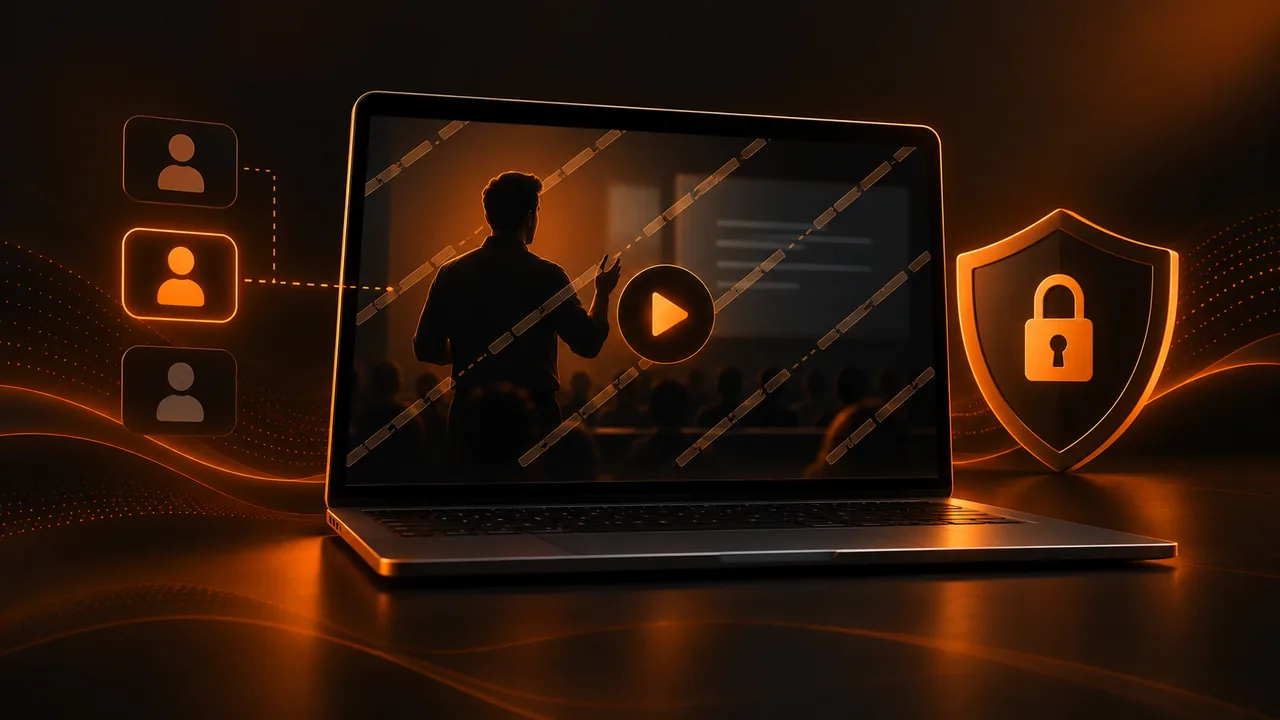
Unlike a static watermark (a visible logo in the corner of the video that anyone can crop out), a dynamic watermark is unique to each user. When a student accesses your members area and plays a video lesson, the player automatically inserts an invisible or semi-visible mark containing that student's identification: their name, email, or a unique code. If that recording appears online, you can identify who leaked it and take the necessary measures.
How dynamic watermarking works in practice
The process is transparent to the student. When they log into your online course platform and play a video lesson, the video player generates a version of the video with a personalized watermark in real time. This mark can be semi-transparent text overlaid on the video (visible but not intrusive) or an invisible digital fingerprint embedded in the video data that can only be detected with specialized tools.
If your members area is built on a third-party online course platform, make sure that platform allows integrating an external player with watermark capability. Many platforms use generic players that do not offer this functionality, leaving your content unprotected. Choosing the player is not only a user experience issue; it is a matter of protecting your intellectual property.
Types of watermark for video lessons
A visible watermark is semi-transparent text or a logo that appears on the video during playback. Its advantage is deterrence: the student knows they are being identified and thinks twice before recording or sharing their screen. Its disadvantage is that it can slightly affect the viewing experience, though with careful design the impact is minimal.
An invisible watermark uses steganography techniques to embed information within the video data without being perceptible to the naked eye. Its advantage is that it does not affect the viewer experience. Its disadvantage is that it requires specialized tools to detect and can be lost if the video is recompressed with aggressive quality settings.
The most effective option for selling courses online is to combine both: a visible mark that deters and an invisible one that identifies. The student who sees their name on screen will not dare share the video. And if someone finds a way to remove the visible mark, the invisible one remains to identify them.
Legal protection: what to do when you identify a leak
Identifying who leaked your content is the first step. The second is to act. Depending on your jurisdiction and your members area terms of use, you can revoke the infringer's access, claim damages, and request removal of pirated content from platforms where it was published. Having proof of the watermark with the infringer's data greatly strengthens your legal position.
Include clear clauses in your online course platform terms that warn about the consequences of sharing protected content. The combination of a clear legal warning and a visible watermark is the most effective deterrent against casual piracy. Professional pirates are harder to stop, but they represent a smaller percentage of the problem.
Complementary alternatives to protect your content
Beyond watermarking, other techniques protect your video lesson content. Limiting the number of devices a student can access from reduces the chance they share credentials. Disabling video download forces content to be viewed only by streaming within your members area. And DRM (Digital Rights Management) protection adds an additional encryption layer that makes screen recording harder.
To sell courses online with peace of mind, you need your sales page built with Atomicat to communicate the value of exclusive access, and your payment system through AtomicPay linked to access control so the student can only view content while their payment is active.
Balance between protection and student experience
Every protection measure has a potential cost to user experience. A visible watermark can distract the student during viewing. A download restriction can frustrate a student who wants to watch the video lesson offline during a flight. Aggressive DRM can cause playback problems on certain devices or browsers. The challenge is finding the level of protection that deters piracy without degrading the experience for paying students.
For your online course platform, the recommended approach is protection proportional to content value. An introductory low-price course can have minimal protection (light visible watermark). A high-value premium program justifies full protection (visible and invisible dynamic watermark, download restriction, DRM, and device limits). Free marketing content needs no protection, since mass distribution is precisely your goal.
Student education as the first line of defense
Before implementing technical protection measures, educate your students about the value of respecting your intellectual property. A message in your members area explaining why content is protected and how piracy affects your ability to keep creating content can be surprisingly effective. Many students who share content do not do it out of malice but out of ignorance of the consequences. Clear, non-threatening communication can deter a significant portion of leaks before they happen.
Also include a clear clause in your terms of use explaining that content is intended exclusively for the registered student and that sharing it constitutes a terms violation that can result in access revocation. This clause, combined with dynamic watermarking that identifies the infringer, creates a deterrence system that works both through persuasion and technology. To sell courses online sustainably, protecting your content is as important as creating it.
The cost of piracy: how much you really lose
Quantifying the real cost of piracy of your educational content is complex but necessary. Not every pirated download is a lost sale; many people who access pirated content would never have paid for it. However, a significant percentage would have paid, and that percentage represents real lost profit for your business. If your course costs €500 and 100 people access it pirated in a year, even if only 20 percent would have paid, we are talking about €10,000 in lost revenue.
Beyond direct lost income, piracy affects the perceived value of your product. If your course is available free in a Telegram group, potential buyers who discover it there have an incentive not to pay. And students who did pay feel cheated when they discover others are accessing the same content without paying. This erosion of perceived value can be more damaging long term than immediate revenue loss, and protecting your video lesson with dynamic watermarking is an investment in the sustainability of your online course platform business model.
Conclusion: protect what you have created
Your educational content is the result of your knowledge, experience, and effort. Allowing it to be distributed without control not only reduces your income but devalues your brand and discourages creating new content. Dynamic watermarking is the tool that gives you back control over your intellectual property. It does not eliminate piracy completely (nothing does), but it drastically reduces it and gives you the ability to identify and act against those who leak your video lesson. If you are going to sell courses online, protecting your content is not optional. It is part of the business.
If you read nothing else
- Dynamic watermarking is unique per user — name, email, or code embedded in real time.
- Combine visible (deterrent) and invisible (identification) watermarks for maximum protection.
- Limit devices, disable downloads, and tie access to active payment via AtomicPay.
- Educating students and clear terms are the first line of defense against leaks.
Atomicat Team
The team behind AtomicPlayer — writing about video conversion, retention, and the infrastructure that makes both measurable.