An automated webinar, also called perpetual or evergreen, is a session recorded once that is offered to your visitors on a schedule or on demand, with a structure of valuable content and an offer at the end. It sells while you sleep, without you having to present it live every week.
This guide explains how it differs from a live session, how scheduling and on-demand access work, which structure to follow, why you should be transparent about its recorded format, how to follow up by email, and where to host it reliably. At the end you have the steps to put it into action.
What is an automated webinar and how does it work?
It is a prerecorded webinar that plays at a set time or when the viewer decides, so each person watches it from start to finish without a presenter being connected at that moment. The difference from a live session is that you record once and reuse it as many times as you want.
How it works rests on three pieces that, together, replicate the experience of an event.
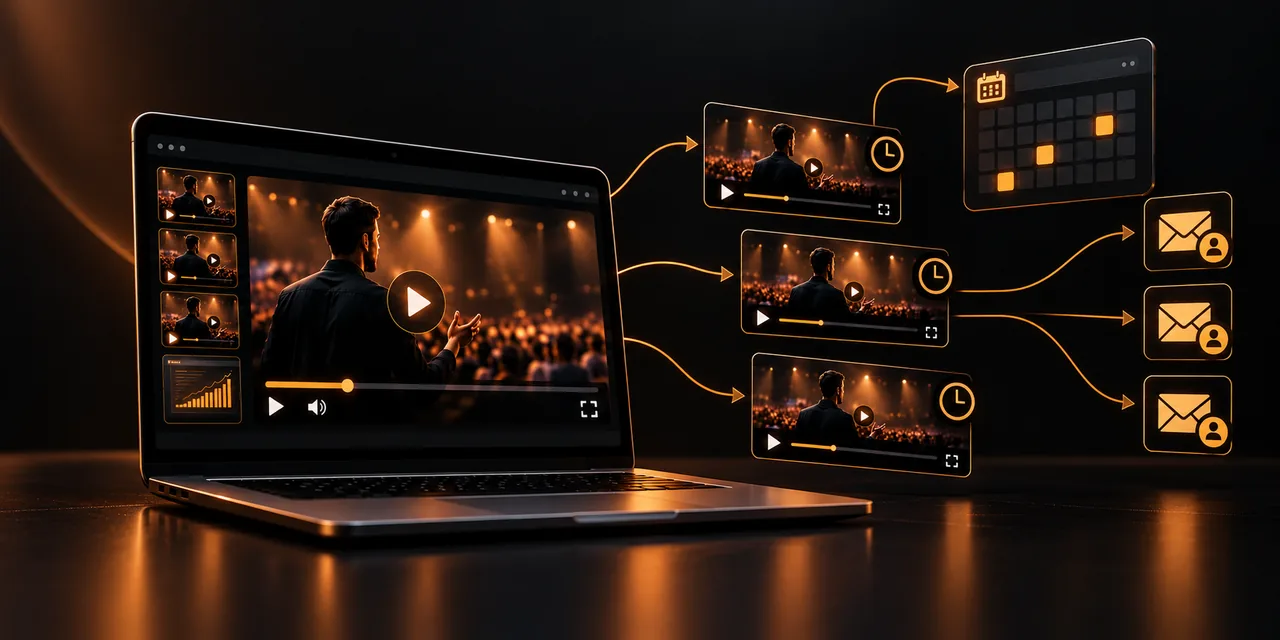
Recurring schedule. You offer several sessions each day or each week, and the visitor chooses the one that fits best. Some tools also allow immediate access, so the next session starts within a few minutes.
On-demand access. Anyone who arrives late or cannot attend at the chosen time watches the full session whenever they want, with the offer available at the end.
Registration and reminders. The form collects the email address and sends an automatic reminder before the session, which reduces no-shows.
If you are unsure between this option and a video sales letter, the comparison between VSL and webinar helps you decide which format fits the price and complexity of what you sell.
Live or automated webinar: which one suits you?
This is not about picking an absolute winner. Each format contributes something different, and many teams start with a live session to validate the offer and automate it afterward.
Aspect
Live webinar
Automated webinar
Availability
A specific date and time; only those who attend see it
Recurring or on-demand sessions, every day of the year
Interaction
Questions and answers in real time
No immediate reply; you make up for it with email or chat follow-up
Effort
You have to present it every time
You record once and reuse it
Scalability
Limited by your calendar
Almost unlimited: each visitor has their own session
The live session wins on closeness and on the ability to resolve doubts on the spot. The automated one wins on reach, consistency, and time saved. If your offer already works and you repeat the same message every week, automating it makes a lot of sense.
What structure should an automated webinar have?
A good webinar is not a long ad. It works when it teaches something useful and, only afterward, presents the offer as the natural continuation of what was learned. A proven structure has four blocks.
Welcome and promise. In the first minutes you explain what the viewer will learn and why it is worth staying until the end.
Valuable content. Roughly 60 to 70 percent of the session is spent teaching a method, solving a problem, or showing a real case. This is the part that builds trust.
Transition to the offer. You connect what you have taught with your product: "if you want to apply this without doing it all yourself, this is what we offer."
Offer and close. You present the product, the price, the guarantee, and a single call to action with a clear deadline.
In the close, a well-designed call to action makes the difference: a visible button, a clear message, and a next step that leaves no doubt about what to do.
A length of 45 to 60 minutes is common, although what matters is that the pace does not drop. If it runs longer than the content justifies, the viewer leaves before reaching the offer.
Is it honest to present a recorded webinar as live?
No. If the viewer believes they are live when they are not, the trust you have built breaks as soon as they find out, and in many cases they do. In Spain, presenting recorded content as live can also be considered a misleading practice under consumer rules.
The solution is simple: say it clearly. Text such as "Recorded session available at all hours" on the registration page, or a notice at the start of the video, does not take value away from the content. What the person who registers values is what they learn, not that someone is connected at that moment.
If you offer interaction, be consistent: do not fake a chat with invented questions or a false attendee counter. Answer questions by email or with a live Q&A session from time to time, and always say what each thing is.
How do you follow up by email after the webinar?
The webinar captures attention, but many people do not buy the same day. Email is what converts those who were left halfway, and the sequence depends on what each person did.
If they watched the full session. Send an email with the offer, the purchase link, and answers to the most common objections, over the next two or three days.
If they left halfway. Send a message with the link to resume right where they left off and a summary of what they missed.
If they did not attend. Resend on-demand access with a new date or a reminder that the session is still available.
To see where people drop off, video retention analytics show the minute at which each viewer leaves and which parts of the webinar are worth shortening or strengthening.
With that data you can adjust the emails to each group's real behavior, instead of sending the same message to everyone. And to know how much each session sells, video revenue attribution links plays to purchases.
How do you host the webinar reliably?
A webinar that cuts out, loads slowly, or fails on mobile destroys the sale. Because the session plays hundreds of times without you watching it, hosting is a technical decision with a direct effect on revenue.
Specialized video hosting. Avoid serving the file from your own web server, which is not built to deliver video to many people at once.
Adaptive streaming. Quality adjusts to the viewer's connection, so the session starts quickly and does not freeze.
Playback control. A player with a locked or limited progress bar and no external recommendations keeps the viewer from skipping to the offer or getting distracted by other videos.
Choosing a good video hosting platform is the foundation of the whole system: load speed, stability, and the playback data you will later use to improve all depend on it.
With Atomic Player you can host the webinar, embed it on your registration page, and review playback data for each session, without relying on external platforms that show recommended videos when it ends.
How do you set up your automated webinar step by step?
With a clear structure and the right tools, you can have it running in a few days.
1. Define a single goal and a single offer: what do you want the viewer to do when the session ends?
2. Write the script with the four blocks (promise, value, transition, and offer) and record the session with a good image and clear audio.
3. Host the video on a platform built for streaming and set the broadcast times or on-demand access.
4. Create the registration page with a clear note that it is a recorded session, and connect the form to your email tool.
5. Schedule the reminders and the follow-up sequence according to whether they watched, left, or did not attend.
6. Review the data every week and improve the script, the offer, and the emails based on what you measure.
Inside a video sales funnel, the webinar acts as the piece that turns interest into a purchase decision, so it is worth taking care of every step before and after.
Frequently asked questions
What is an automated webinar?
It is a prerecorded webinar offered on a schedule or on demand, with a structure of valuable content and an offer at the end. It is also known as a perpetual or evergreen webinar and lets you sell without presenting live every time.
What is the difference between a live webinar and an automated one?
The live one is broadcast once and lets you answer questions on the spot; the automated one is recorded once and plays when the viewer chooses. The live one brings closeness, and the automated one brings reach and consistency.
Do you have to say that the webinar is recorded?
Yes, and it is the most advisable approach. Presenting it as live can be considered misleading and damages trust. Stating that it is a recorded session does not reduce conversions and avoids legal and reputation problems.
How long should an automated webinar last?
The usual length is 45 to 60 minutes: enough to teach something useful and present the offer without the pace dropping. What matters is that each minute adds value, not that you hit a fixed length.
What platform do I need to host an automated webinar?
A video hosting platform with adaptive streaming, a controllable player, and playback data. With that you can deliver the session reliably and measure the point at which each person leaves.
Let your webinar work for you
An automated webinar turns a single recording into a steady sales channel, as long as you teach something useful, are honest about its format, and follow up well by email. Measure, adjust, and repeat.
See Atomic Player plans and publish your webinar with a player built to sell.
If you read nothing else
- An automated webinar is recorded once and replayed on a schedule or on demand, with teaching first and an offer at the end.
- Be transparent that it is recorded; presenting it as live can break trust and may be considered misleading in Spain.
- Follow up by email based on whether someone watched it all, left halfway, or did not attend.
- Host it with specialized video hosting, adaptive streaming, and playback control, then review the data each week.
Atomicat Team
The team behind AtomicPlayer — writing about video conversion, retention, and the infrastructure that makes both measurable.