Playback speed is the setting that lets someone watching a video speed it up or slow it down relative to its original pace, usually with options such as 0.75x, 1x, 1.25x, 1.5x, and 2x. Many viewers already use it out of habit, and they do so whether you agree or not, because the browser and the platforms allow it by default.
This guide explains why people speed up your videos, what that behavior tells you about pace and retention, how it changes your completion data, and when it is worth offering your own speed control. If you publish courses or video sales letters, understanding this habit helps you measure better and edit with more judgment.
What is playback speed and what options exist?
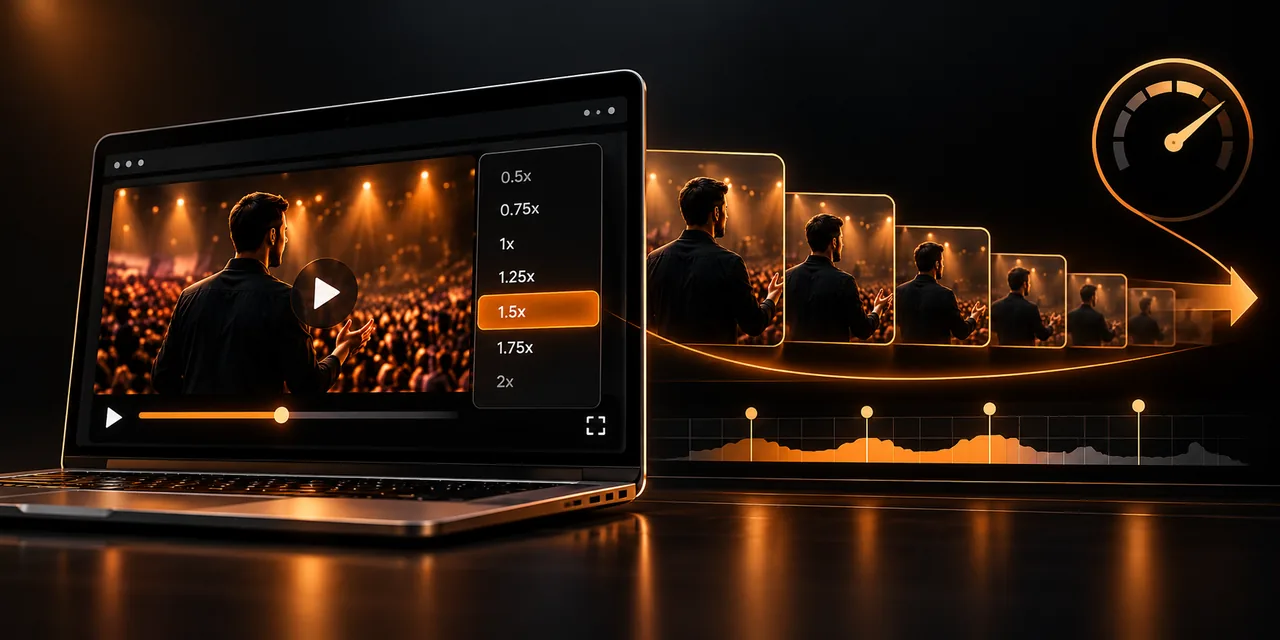
It is a multiplier applied to the video's time. At 1x the content sounds and looks as it was recorded; at 2x it lasts half as long and the voice speeds up, although modern players correct the pitch so it does not sound high.
Almost all HTML5 players support this feature at a technical level, but its existence does not mean the viewer will find it. On many players it stays hidden behind a settings icon, and on others it does not appear at all. The usual steps are these:
0.5x and 0.75x. Useful for technical tutorials, languages, or screen demonstrations where each step has to be followed calmly.
1x. The original pace, the one you edited and intended. It is the reference point for any comparison.
1.25x and 1.5x. The ones most used by people who already know the topic or want to save time without losing comprehension.
1.75x and 2x. Meant for reviewing familiar content or skipping parts that do not matter; at that speed, nuance is lost.
Why do your viewers watch videos at 1.5x?
They speed up because their attention moves faster than your voice. A person comfortably understands speech at a pace well above natural speaking speed, and when the video contains pauses, repetition, or long introductions, the brain gets bored and the finger looks for the speed setting.
Lack of time. Someone in a course with forty lessons ahead wants to move forward. Cutting an hour down to forty minutes is a real advantage.
Familiarity with the topic. If they already know half the content, they speed through the basics and slow down when they reach what is new.
Slow editing pace. A video with long silences, detours, or repeated introductions feels slow even when the content is good.
An acquired habit. Someone who watches podcasts, online classes, or recorded meetings at 1.5x ends up applying that pace to any video, without thinking about it.
Watching fast does not mean a lack of interest. What it does indicate is that your pace does not match theirs.
What does speed indicate about the pace and retention of your video?
If a large part of your audience speeds up, speed becomes an indirect signal of pace. A video that almost nobody leaves at 1x probably has stretches that are unnecessary. A video watched at 1x and rewound often, on the other hand, usually concentrates dense content. To read these clues well you need to cross them with video retention analytics, which show the seconds where attention is lost or recovered.
Think of speed as a thermometer, not a diagnosis. Two videos with the same final retention can be saying very different things: one is liked at a natural pace and the other is only tolerated because people compress it. That is why it is worth looking at the same time at where people speed up, where they rewind, and where they leave.
When you notice that most views happen above 1.25x, the message is clear: cut. Remove long introductions, condense repeated explanations, and get to the point sooner.
How does speed affect your completion data?
Here is the nuance most often overlooked. Players measure video completion rate based on position within the video, not on the real time the person spent. Someone who watches a ten-minute video at 2x reaches the end in five, and it still counts as a complete view.
This has two practical consequences. The first is that average view time measured in real minutes can be shorter than the video's duration without any drop-off. The second is that comparing videos without knowing which speed each audience uses leads to wrong conclusions: a video looks shorter in practice than it is.
To avoid fooling yourself, record speed alongside progress. If your player stores that information, you can separate someone who finishes at 1x from someone who finishes at 2x, and decide with data whether you need to shorten the video or simply offer better controls.
When is it worth offering a speed control?
Not every video needs it. The decision depends on the goal of the content and on what you want the viewer to do when it ends.
In courses and training, the control is almost mandatory. The student returns to lessons, reviews passages, and adapts the pace to their level, and a well-structured video lesson with chapters gains even more when it lets them adjust the speed. In recorded webinars and technical content, something similar happens: the audience decides how much time to invest.
In a video sales letter the answer is less obvious. There, pace is part of the persuasion: the pauses, the emphasis, and the build of the offer are carefully planned. If the video is long, offering speed can keep someone who would have left, but if it is short and well scripted, you may not need it. It helps a lot to know the optimal length of a VSL by price before deciding whether to give that control or adjust the script.
As a practical rule, offer speed control when the video runs past five or six minutes, when the viewer may want to review it, or when the content is informative. Leave it out of very short pieces, ads, or clips where pace is part of the message.
How do you design the speed control well inside the player?
A good control should be found without searching and understood without reading. Position, size, and labeling matter as much as the options; all of that is part of well-thought-out player controls, designed so the person moves forward without friction.
1. Place the selector on the bottom bar, next to volume and subtitles, and not inside a multi-level settings menu.
2. Show the options as a short list: 0.75x, 1x, 1.25x, 1.5x, and 2x. More steps confuse, and fewer limit the choice.
3. Clearly indicate the active speed and leave 1x as the default.
4. Remember the person's preference across lessons, so they do not have to choose it again on every video.
5. Make sure the subtitles and the progress bar stay in sync when the speed changes.
With Atomic Player you can configure the player controls and measure how each audience behaves, so adjusting speed is a decision based on data rather than hunches.
What changes between a player with speed control and one without it?
The difference shows in the viewer's experience and in the quality of the data you receive. This comparison sums up what matters.
Aspect
Without speed control
With speed control
Experience
The viewer uses extensions or shortcuts, or leaves if the pace does not fit
They choose their pace from the player itself and stay more comfortable
Retention
Someone in a hurry leaves before finishing
Someone in a hurry speeds up and reaches the end
Completion data
Hard to interpret: you do not know how much real time each person spent
You can cross progress and speed to understand behavior
Best use
Ads, short clips, and pieces where pace is part of the message
Courses, recorded webinars, tutorials, and videos longer than five minutes
In most educational and informative cases, offering the control clearly wins. In very short or tightly directed pieces, leaving it out can be a legitimate decision.
Frequently asked questions
What is a video's playback speed?
It is the multiplier that sets the pace at which a video plays relative to its original duration. The usual options run from 0.75x to 2x, and they let you watch the content more slowly or more quickly without editing it.
Why do people watch videos at 1.5x?
Because it saves time and human attention usually moves faster than natural speech. Someone who already knows the topic, is in a hurry, or is used to podcasts and online classes tends to speed up almost any video.
Does playback speed affect the completion rate?
Yes, although indirectly. A video watched at 2x is completed in half the real time, but it counts as fully watched if the end is reached. That is why it is worth recording speed alongside progress.
Should I offer speed control in my online course?
Yes, in almost every case. Students review lessons, adapt the pace to their level, and value being able to move forward without waiting.
Is it worth giving speed control in a video sales letter?
It depends on the length and the script. In long videos it can keep someone who is in a hurry; in a short, well-paced one it may not be needed. The best approach is to test it and measure what happens to progress and conversions.
Let each viewer choose their pace
Playback speed says more about your video than it seems: it points to where time is wasted, which parts get reviewed, and how you should read your completion data.
Try Atomic Player and give your audience a player with the controls they actually use.
If you read nothing else
- Viewers speed up because their attention outruns a slow pace, pauses, and repetition, and the habit often sticks at 1.5x.
- Playback speed is a clue about pacing: if most views are above 1.25x, cut what does not earn its time.
- Completion rate follows position in the video, so someone who finishes at 2x still counts as a full view.
- Offer a speed control on courses, recorded webinars, and videos longer than five or six minutes.
Atomicat Team
The team behind AtomicPlayer — writing about video conversion, retention, and the infrastructure that makes both measurable.