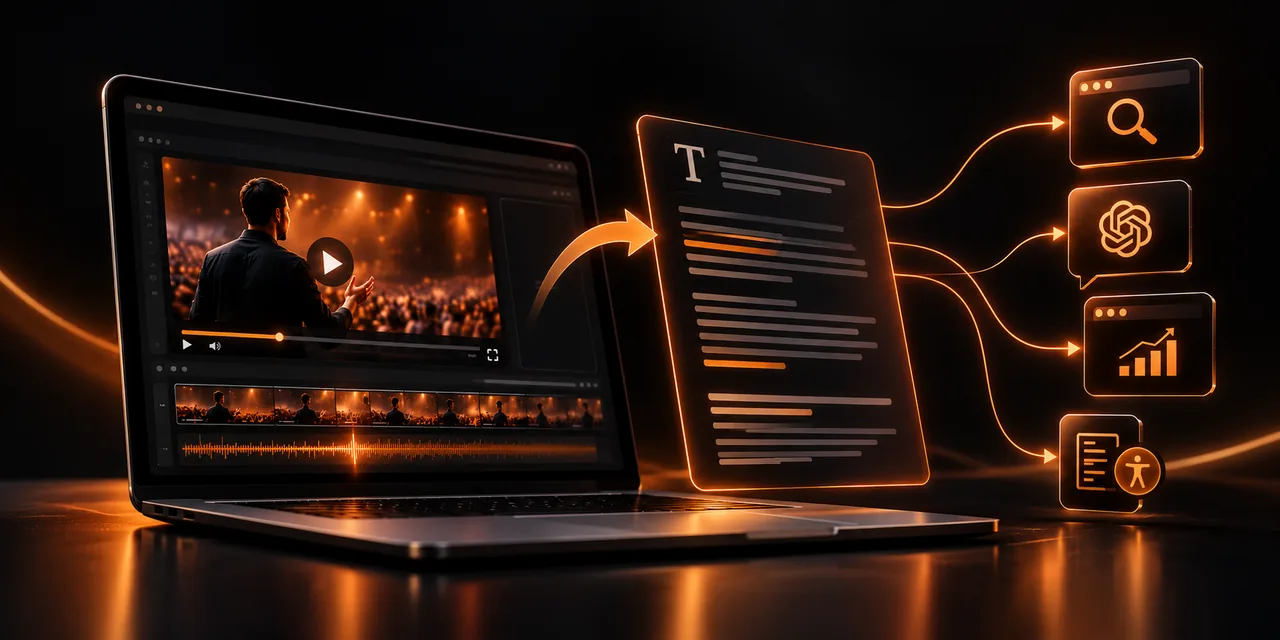
A video transcript is the written version of everything said in it. Published on the same page as the player, it gives search engines and artificial intelligence assistants text they can read, index, and cite, something a video, on its own, does not offer them with the same reliability.
This guide explains what a transcript contributes to your SEO and to your visibility in AI-generated answers, how it differs from subtitles, how to generate and clean it step by step, and how to mark it up on your page. If your VSL lives on a page with no text, you are asking search engines to guess what it is about.
What is a video transcript, and what is it for?
It is the full text of what is said in the video, arranged in readable paragraphs, with speaker changes marked if there is more than one. It is not a summary or a description: it reproduces the spoken content, with the corrections needed so it reads naturally.
It does three things at once: it adds indexable text to a page that, without it, has very little; it lets anyone consult the content without watching or hearing the video; and it gives you source material you can reuse in articles, emails, or social posts.
Why does a transcript bring you traffic from search engines?
A search engine understands text much better than video. Although speech-recognition systems keep advancing, the safest approach is still to give it the written content, rather than waiting for it to infer it. A page with a VSL and almost no text spends most of its time giving no clues about its content.
When you add the transcript, the page naturally includes the expressions your audience uses: the questions they ask, the problems they describe, and the technical terms in your field. That widens the number of queries it can appear for, including very specific ones, the so-called long-tail searches, which are usually the closest to a purchase.
That text also helps you keep the page under your control. If you host the video on your own video hosting platform instead of depending on a third party, the transcript and the player live together on your domain, so the traffic and the authority of the content stay on your site.
If your video is on YouTube today, the text the platform generates stays on youtube.com and benefits its page, not yours. When you leave YouTube and host the video yourself, you can publish the transcript on your own domain and keep that visibility.
How does a transcript get AI to cite your VSL?
Artificial intelligence assistants and summaries generated in search engines work with text. When someone asks them something, they look for fragments that are clear, well structured, and easy to attribute to a source. A video without a transcript offers none of those fragments, while a well-organized text does.
To make your transcript citable, work on three fronts.
Direct answers. If your video answers a specific question, let that answer appear literally and clearly, in one or two sentences, not buried among digressions.
Visible structure. Divide the transcript with descriptive subheadings, preferably in the form of a question, so each block can be understood on its own.
Attributable facts. Include who is speaking, which company or project they represent, and the date it was recorded, because that context increases trust in the source.
Also think about how questions are put to an assistant: in natural, complete language, such as “how to transcribe a YouTube video to text.” The subheadings of each block in your transcript can imitate that wording.
There is no guarantee that a system will cite you, because each engine decides by its own criteria, but offering it clean, well-organized text is the starting condition. Without text, you do not even enter the competition.
How do subtitles and a full transcript differ?
They are often confused, but they do different jobs. Subtitles appear synchronized inside the video, in short lines, for someone watching without sound or who needs support to understand the audio. The transcript is a separate document, read from start to finish, searchable in the browser, and used as the basis for SEO.
You do not have to choose one or the other: the ideal is to use both. Subtitles improve the experience inside the player, and the transcript extends the page’s reach beyond it. Both also help accessibility: the WCAG guidelines recommend text alternatives for video content, and in the European Union accessibility rules, applicable from June 2025 to services such as e-commerce, make it increasingly relevant to take care of this.
How do you generate and clean your video transcript step by step?
Generating the text is easy; what makes the difference is cleaning it before you publish. These are the steps worth following.
1. Get the automatic transcript with a speech-recognition tool or from the subtitles generated by your video platform.
2. Correct the errors: proper names, brands, figures, and technical terms are the ones that fail most.
3. Remove filler words, repetitions, and incomplete sentences, without changing the meaning of what you said.
4. Split the text into short paragraphs and add descriptive subheadings, ideally questions your audience actually asks.
5. Name who is speaking when there is more than one person, and include timestamps if the video is long.
6. Publish it on the same page as the video, just below the player or in a collapsible block.
If you start from a VSL, you already have half the work done: your VSL script is the most reliable base. Compare it with what you finally said on camera, because there are almost always improvisations worth reflecting, and use it to lock in the spelling of the key terms.
How do you place the transcript on the page and mark it with VideoObject?
The simplest approach is to show the transcript in the page’s own HTML, visible to the visitor, and not hide it or load it from an image. A collapsible block that opens with a click works well: it keeps the layout clean and leaves the text accessible to search engines.
You can also describe the video with VideoObject structured data, the schema.org vocabulary that tells search engines what the video contains. Include properties such as the name, the description, the upload date, the thumbnail, and the duration, and it also accepts the transcript property for the text. Validate the markup with Google’s rich results test tool before you publish it.
Finally, make sure the transcript does not pull attention away from the page’s goal. Keep the call to action visible next to the player and repeat it at the end of the text, so someone who arrives by reading has the same path to purchase as someone who arrives by watching.
What changes between a video with no text and one with a transcript?
The difference shows up both in the page’s visibility and in its accessibility. This comparison sums up what you gain by adding the text.
Aspect
Video with no text
Video with a transcript
Indexing
The search engine has little text to read
It has all of the spoken content in text
AI citations
Few fragments to cite
Clear answers attributable to your page
Accessibility
It excludes anyone who cannot see or hear the video
Anyone can consult the content
Reuse
The content stays locked inside the video
You can turn it into articles, emails, and posts
The player and the text work better together. With Atomic Player you host your VSL in your own player inside your page, so the video and its transcript live together on your domain.
If you also use the transcript text to feed your own articles, you waste nothing of what you say on camera.
Frequently asked questions
What is a video transcript?
It is the full text of what is said in the video, organized into readable paragraphs. Published next to the player, it helps search engines and AI understand and cite the content.
How do I transcribe a YouTube video to text?
You can use the automatic transcript the platform itself offers, or a speech-recognition tool, and then review it by hand. Manual correction is essential to fix proper names, figures, and technical terms.
What is the difference between subtitles and a transcript?
Subtitles appear synchronized inside the video, in short lines, and help people watch it without sound. The transcript is a separate document with all of the text, read straight through, and it adds indexable content to the page.
Does a transcript help video SEO?
Yes, because it gives the page text that search engines can crawl and index, with your audience’s words and questions. It does not guarantee a ranking, but it is one of the most direct ways to give a video context.
Can I publish an automatic transcript without reviewing it?
It is not advisable. Errors in names, figures, or technical terms reduce credibility and can make AI or search engines misread your content. Reviewing it takes little time and improves the result a great deal.
Give your video the text it needs to be found
A VSL without text is a closed box for search engines and AI assistants. With a clean transcript, structured and marked up with VideoObject, your page gains indexing, accessibility, and a real chance of being cited, plus source content you can reuse in other formats.
Try Atomic Player and publish your VSL with the player and the text on your own page.
If you read nothing else
- A transcript gives search engines the spoken content in text, including the long-tail questions your audience actually uses.
- AI assistants cite clear, structured, attributable passages; a video without text offers none of those fragments.
- Subtitles and a full transcript do different jobs; use both, and clean automatic text before you publish it.
- Place the transcript in the page HTML, mark the video with VideoObject, and keep the call to action visible.
Atomicat Team
The team behind AtomicPlayer — writing about video conversion, retention, and the infrastructure that makes both measurable.