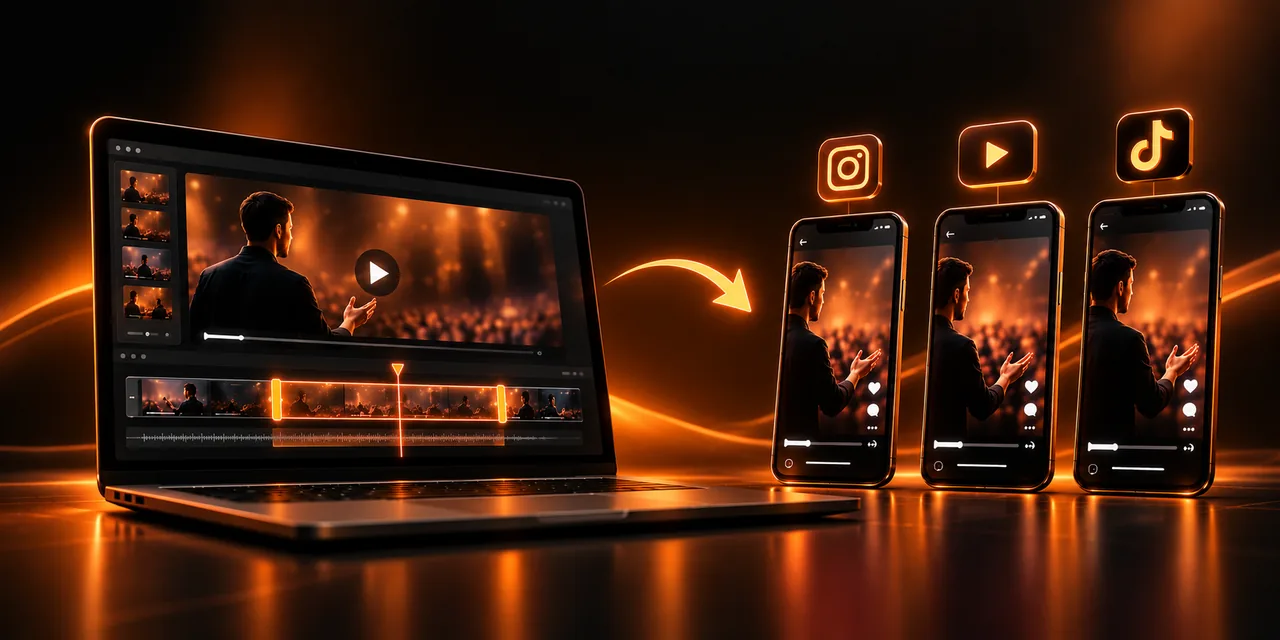
Turning your VSL into Reels means pulling from the long video the segments that already work, cropping them to vertical 9:16, adding subtitles, and publishing them as Reels, Shorts, or TikTok videos without filming anything again. Each clip acts as a short ad that leads the person to your full VSL, which is where the sale happens.
This guide explains why it pays to reuse your long video, how to find its best moments, how to turn them vertical step by step, what to do with subtitles and the call to action, and how often to publish. If you have already invested in writing and recording a strong script, using that material only once wastes hours of work.
What are Reels, and why reuse your VSL in vertical format?
A Reel is a short vertical video that Instagram shows in its own tab and also to people who do not follow you. YouTube offers Shorts and TikTok has its own feed, with the same logic: clips of a few seconds or one or two minutes meant to be watched on a phone, standing up, with one hand. Duration limits change often, so check them before you publish.
Reusing a VSL in this format makes sense for a practical reason: the long video already contains everything you need. It has stories, resolved objections, demonstrations, and memorable lines that someone already wrote and polished. What you lack is not content, but the right wrapper so that content reaches people who do not know you yet.
Cold reach. Vertical feeds recommend videos to strangers based on their interests, something a sales page cannot do on its own.
Minimal cost. You do not need to write scripts, rent a studio, or record again: you work with material that already exists.
Proven messages. The segments that retain best in your VSL are more likely to work as a clip, because you have already confirmed that they capture attention.
How do you find the best moments in your VSL?
The best candidates are segments that make sense without context and that provoke a reaction. Not all of the video works: a minute of transition, or an explanation that depends on what came before, loses force when it is taken out of place.
Start with your player's retention curves and view heatmaps. The stretches where people rewind or replay a scene tell you which lines truly interest them, and sharp drops show you which parts to leave out. That way you choose from data, not intuition.
Then look for these kinds of moments, which usually perform well as a standalone clip.
The opening hook. The promise or question that opens your VSL is already designed to stop the scroll.
A short story. A case, an anecdote, or a before-and-after that can be told in under a minute.
A resolved objection. “I don’t have time,” “I already tried,” or “it’s too expensive” are lines many viewers recognize themselves saying.
If your clip will start in the middle of the video, rewrite its opening in your head. The principles of a good hook in the first 15 seconds apply here too, but with less margin: in vertical you have only a couple of seconds for the person to decide whether to stay.
How do you crop a long video to 9:16 without losing what matters?
The 9:16 format is the one that fills a phone screen in portrait. Moving from a horizontal video to this format means deciding what stays inside the frame, because the image gets narrower. The process comes down to a few steps you can repeat with any VSL or webinar.
1. Choose three to five moments from the long video using the criteria above and note the exact start and end minutes of each one.
2. Cut each segment so it starts directly on the line that hooks, with no greetings or introductions.
3. Reframe to 9:16, centering the person speaking or the main element in the image; if there are slides, place them at the top or the bottom.
4. Add large, readable subtitles, with the key words highlighted, and check that the app’s own buttons do not cover them.
5. End with a clear call to action and export each clip as vertical video at a good resolution.
Keep each clip focused on a single idea. If a segment needs more than ninety seconds to explain itself, it is probably two different clips. In vertical feeds attention drops quickly, so it is better to err on the short side.
Why are subtitles essential in vertical clips?
Many people watch short video with the sound off, in transit, at the office, or in bed with someone beside them. Without text on screen, that person scrolls past even if your message is excellent. That is why subtitles in the video work as half of the clip, not as an optional extra.
To make them actually help, use one or two lines at most, short sentences that follow the pace of the voice, strong contrast with the background, and a typeface that is readable on a small screen. Always review the automatic transcript, because proper names and technical terms often fail. Subtitles also make your content accessible to people with hearing loss.
How do you keep a call to action and send traffic back to your VSL?
A clip with no destination is entertainment; with a destination, it becomes a source of visits. Define a single call to action per video, phrased as a small, concrete step: watch the full story, download a guide, or visit the page with the entire video. Asking for three things at once is the same as asking for none.
Place the link in the profile bio, in the description, or in the pinned comment, depending on what each platform allows, and say it out loud at the end of the clip. Ideally every link points to the same place: the page that hosts your VSL, where the player records how much each visitor watches and which source they came from.
What you promise in the clip should also match what the person finds when they click. That consistency is the same point we make when talking about using the same video in the ad and on the sales page, and it prevents the bounce of someone who arrives expecting something else.
If your player records the source of each visit, you can see which clips bring visitors who actually watch the VSL, not only who clicks.
How often should you publish, and how do you measure results?
Consistency matters more than perfection. From a single VSL of about forty minutes you can easily get ten to fifteen clips, which covers several weeks of publishing without recording again. A realistic pace to start is three or four posts a week, spread across Reels, Shorts, and TikTok with the same clip.
To measure, drop views as the main metric and look at the full path: the clip’s retention rate, clicks to the link, visitors who reach the VSL, and above all how many of them watch it to the end or buy. A clip with fewer plays that brings more qualified visitors is better than a viral one that generates no sales.
What is the difference between a long VSL and vertical clips?
Both formats complement each other, but they play different roles inside the funnel. Understanding each role helps you not ask the clip to do what only the long video can do.
Aspect
Long VSL
Vertical clips (Reels, Shorts, TikTok)
Role
Explain, persuade, and close the sale
Capture attention and send traffic to the VSL
Length
Several minutes, sometimes tens of minutes
From a few seconds to a couple of minutes
Audience
People who already show interest
Strangers and a cold audience
Key metric
Retention, button clicks, and sales
Clip retention and clicks toward the VSL
Both are measured better from the same place. A player with Atomic Player gives you retention analytics for the long video and shows you which parts interest people, which feeds the next batch of clips.
Frequently asked questions
What is a Reel?
It is a short video in vertical format that Instagram recommends in its own tab, including to people who do not follow you. YouTube has Shorts and TikTok has its feed, with very similar logic.
How long can a Reel be?
The maximum length has changed several times and varies by format, so check Instagram’s current specifications before you publish. For clips taken from a VSL, thirty to ninety seconds is usually enough.
How do I create Reels from a long video?
Choose the moments with the highest retention, cut each segment so it starts on the hook, reframe it to 9:16, add subtitles and a call to action, and export. You do not need to record again.
What tools do I need to edit Reels?
Any video editor that lets you trim, reframe to 9:16, and add subtitles will do, from mobile apps to desktop programs. What matters is the judgment you use when choosing the moments, more than the software.
What format and aspect ratio should I use?
Vertical 9:16, at Full HD resolution of 1080 by 1920 pixels, is the standard for Reels, Shorts, and TikTok. Leave free margin at the top and bottom so the app buttons do not cover the subtitles.
Get more from a video you have already recorded
Your VSL already contains dozens of clips waiting to be published. Choosing the moments with data, turning them vertical, subtitling them, and always sending traffic back to the page with the full video turns a single recording into weeks of content and a steady source of qualified visits.
Try Atomic Player and find which parts of your VSL retain best so you can turn them into your next Reels.
If you read nothing else
- Vertical feeds recommend clips to people who do not know you yet, which a sales page cannot do on its own.
- Pick moments from retention curves and heatmaps: the opening hook, a short story, and a resolved objection.
- Crop to 9:16, add large subtitles, keep one idea per clip, and end with a single call to action back to the full VSL.
- A 40-minute VSL can yield 10 to 15 clips; measure retention, link clicks, and qualified views or sales, not views alone.
Atomicat Team
The team behind AtomicPlayer — writing about video conversion, retention, and the infrastructure that makes both measurable.