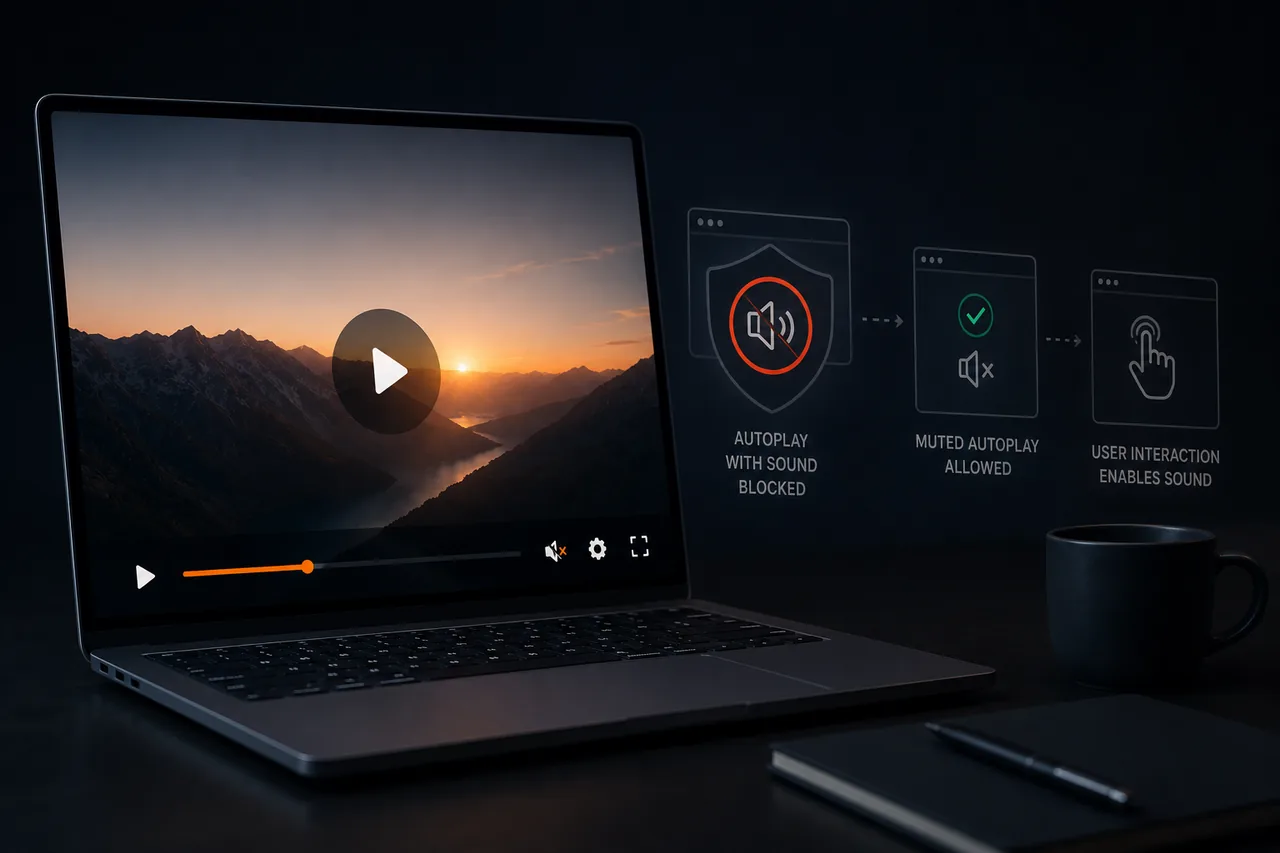
Video autoplay gets blocked because the browser autoplay policy protects users. The browser autoplay policy stops video autoplay with sound, muted autoplay is the exception, and smart autoplay handles the rest. This guide explains video autoplay, the browser autoplay policy, muted autoplay, and smart autoplay so your video autoplay plays reliably.
Why the browser autoplay policy blocks video autoplay
For years the web blasted audio, so browsers built a browser autoplay policy that restricts video autoplay. The browser autoplay policy will not let a page play sound automatically, so video autoplay with sound is blocked by default. This is not a bug in your page; the browser autoplay policy is a deliberate protection, so video autoplay must work with it, and muted autoplay and smart autoplay are how.
The browser autoplay policy is not going away, and it applies to everyone's video autoplay equally. So the answer is not to defeat the browser autoplay policy but to design video autoplay around it with muted autoplay and smart autoplay.
What the browser autoplay policy allows
The browser autoplay policy is more nuanced than "video autoplay is banned."
Muted autoplay is allowed. The key exception: the browser autoplay policy permits muted autoplay, so silent video autoplay plays automatically. Muted autoplay is the foundation of almost every working video autoplay.
Video autoplay after interaction is allowed. Once the user interacts, the browser autoplay policy treats it as intent, so video autoplay with sound works. Smart autoplay uses this after the muted autoplay start.
Some contexts earn video autoplay. The browser autoplay policy may allow sound for frequent visitors, but you cannot rely on that for video autoplay on a sales page, so muted autoplay and smart autoplay are safer.
What works: muted autoplay done well
The common working pattern is muted autoplay with an obvious path to sound. Video autoplay starts silently, which the browser autoplay policy permits, and the viewer is invited to unmute. Done well, muted autoplay is strong video autoplay: the motion draws the eye within the browser autoplay policy, and smart autoplay handles the transition to sound.
Make the sound toggle obvious. Muted autoplay wastes the video autoplay if viewers cannot find sound, so smart autoplay surfaces a clear unmute.
Consider captions. Since muted autoplay starts silent, captions carry the message and pull viewers into unmuting the video autoplay.
Design the first frames for silence. Muted autoplay means the opening plays without audio, so design video autoplay to land silently within the browser autoplay policy.
Smarter alternatives and complements
Click-to-play with a strong thumbnail. Instead of video autoplay, let the viewer press play, which the browser autoplay policy treats as interaction, allowing sound; this sidesteps the browser autoplay policy entirely.
Interaction-triggered play. Start video autoplay with sound on an interaction, which the browser autoplay policy permits after muted autoplay.
Smart autoplay handling. The most robust approach: smart autoplay attempts muted autoplay where the browser autoplay policy allows, falls back gracefully, and offers clear sound controls, so smart autoplay removes the whole video autoplay problem.
A player built for smart autoplay navigates the browser autoplay policy for you, so muted autoplay and video autoplay work across browsers.
Building for reliability
Video autoplay feels inconsistent because the browser autoplay policy varies by browser and device. Design for the strictest case: assume muted autoplay for a new mobile visitor under the browser autoplay policy, and make that video autoplay work with an obvious sound path and a silent opening. If muted autoplay works under the strictest browser autoplay policy, video autoplay works everywhere, and smart autoplay handles the rest. Test across real devices, not just your own, so you see the video autoplay your audience gets.
Frequently asked questions
Why does my video autoplay get blocked? The browser autoplay policy blocks video autoplay with sound by default to protect users. It is a browser policy, not a bug, so video autoplay needs muted autoplay or smart autoplay to play.
Can videos autoplay at all anymore? Yes, with limits. The browser autoplay policy allows muted autoplay, and video autoplay with sound after interaction. So video autoplay works as muted autoplay or via smart autoplay.
What is muted autoplay? Muted autoplay is video autoplay that starts silent, which the browser autoplay policy permits, then invites the viewer to unmute. Muted autoplay is the foundation of working video autoplay.
How do I make autoplay work across browsers? Design for the strictest browser autoplay policy: assume muted autoplay for a new mobile visitor, with an obvious sound path and a silent opening. Smart autoplay handles the video autoplay inconsistency.
Is muted autoplay or click-to-play better? It depends. Muted autoplay captures attention within the browser autoplay policy; click-to-play gives a viewer who chose sound and sidesteps the browser autoplay policy. Test both video autoplay approaches.
The takeaway
Blocked video autoplay is not a glitch; the browser autoplay policy protects users from unwanted noise, and it applies to everyone equally. Fighting the browser autoplay policy is futile; working with it is easy. Muted autoplay is allowed and, done well, draws attention while keeping the viewer in control, and video autoplay with sound works after interaction. Design for the strictest browser autoplay policy, make muted autoplay strong with a silent opening, and use smart autoplay to handle the quirks. Do that, and your video autoplay greets every visitor reliably instead of failing silently.
If you read nothing else
- Blocked autoplay is browser policy, not a bug — design around it.
- Muted autoplay is allowed and, done well, draws attention while keeping control.
- Design for the strictest case: new mobile visitor, silent opening, obvious unmute.
- Smart autoplay handles browser quirks so you do not have to.
Atomicat Team
The team behind AtomicPlayer — writing about video conversion, retention, and the infrastructure that makes both measurable.